
Download Wixee – Family Health Assistant, AI Wellness Tool, Personal Health Advisor
Overview
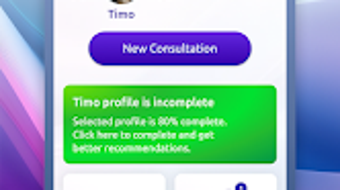
Wixee is an Android-based application designed to serve as a family-oriented AI assistant focused on health and well-being. The software aims to support families by offering personalized AI-driven interactions tailored to individual members. It enables users to create personal profiles, allowing for customized consultations and a history of past interactions to inform future guidance.
The app integrates multiple wellness-focused services, including a Health Advisor, specialist consultations, psychological support, astrology insights, and AI-generated talisman designs. These features are intended to provide general wellness guidance and entertainment, without replacing professional medical or psychological advice. Wixee is structured to help families manage health tracking, plan wellness routines, and engage in meaningful digital interactions.
The application is designed with accessibility in mind, ensuring usability across different age groups. While it offers AI-generated summaries of medical documents, the app does not provide clinical diagnoses or treatment recommendations. Its core purpose is to serve as a supportive companion for daily health awareness and emotional well-being.
Key Features & Capabilities
- Personalized Family Profiles – Each family member can have a dedicated profile, enabling tailored AI interactions and a history of past consultations for continuity and personalized insights.
- AI Health Advisor – Users can upload medical documents, and the AI generates summaries to help improve understanding of health conditions and treatment plans.
- Specialist Consultations – Access to AI-powered consultations in fields such as dermatology and psychology, providing general guidance on common health and lifestyle topics.
- Psychological Support – Offers AI-driven emotional well-being guidance, including mood tracking and coping strategies, aimed at supporting mental wellness.
- Astrology Insights – Provides personalized astrology readings based on user profiles, enhancing engagement through fun, culturally relevant content.
- AI Talisman Generator – Creates custom digital talismans based on user preferences and astrological data, adding a creative and symbolic element to the user experience.
These features are designed to foster daily engagement and promote proactive health awareness within families. For example, a parent might use the Health Advisor to review a child’s medical report, while another family member could explore their daily astrology insight. The AI talisman generator may be used during special occasions, such as birthdays or personal milestones, adding a unique digital keepsake. The integration of multiple wellness domains allows Wixee to function as a holistic companion for both health management and emotional connection.
User Interface, Workflow & Performance
The application features an intuitive interface designed for ease of navigation across various age groups. The layout emphasizes clarity, with clearly labeled sections and visual cues to guide users through core functions. Navigation is structured around user profiles, allowing seamless switching between family members.
The workflow is streamlined, enabling users to upload documents, access consultations, and explore personalized content with minimal steps. While specific performance metrics such as CPU or RAM usage were not provided, the app’s design suggests efficient operation within standard Android device constraints. The developer did not specify resource usage details.
Stability is assumed to be consistent with typical Android applications of similar scope, though real-world performance may vary depending on device capabilities. The app appears to function primarily offline after initial setup, with optional cloud synchronization for profile data. No reported issues with crashes or freezes were mentioned in the provided information.
Compatibility & System Requirements
Wixee is designed for Android operating systems. The current version is 1.0.2, with a file size of 48.7 MB, indicating a lightweight installation. The application is optimized for mobile devices, though specific hardware requirements such as minimum RAM or processor specifications were not listed.
The developer did not provide additional system requirements. Compatibility with older Android versions is not confirmed. Users are advised to ensure their device meets general Android compatibility standards for app installation.
The app’s small size suggests minimal storage impact, making it accessible for users with limited device space. Platform compatibility information is limited to Android, and no support for other operating systems was indicated.
Pros and Cons
Pros
- Family-focused design with individual profile support
- AI-powered health summaries from uploaded documents
- Access to specialist consultations in dermatology and psychology
- Integrated astrology and talisman generation for engagement
- Lightweight installation at 48.7 MB
- Free to download and use
Cons
- No information on compatibility with older Android versions
- Exact performance details and resource usage were not specified
- AI guidance does not replace professional medical or psychological advice
- App is currently limited to Android platform
- Limited data on long-term stability and update frequency
FAQ Section
Is Wixee available for iOS devices?
As of now, Wixee is only available for Android devices. No information was provided regarding future iOS support.
How secure is my personal health data in Wixee?
The app emphasizes data security and privacy, ensuring that personal information is securely stored and not shared without user consent. However, specific encryption methods or compliance certifications were not disclosed.
Can I use Wixee without an internet connection?
Wixee can function offline for basic features such as viewing past consultations and accessing stored content. However, certain services like AI document analysis and specialist consultations may require an internet connection.
Does Wixee offer a free version?
Yes, Wixee is currently available at no cost. The app is free to download and use, with no in-app purchases or subscription fees mentioned.
How often are updates released for Wixee?
The release date for the current version is July 15, 2024. No information was provided about the frequency of future updates or maintenance cycles.
Final Thoughts
Wixee presents a unique approach to family wellness by combining AI-driven health guidance with personalization, emotional support, and creative engagement. Its focus on individual profiles and tailored interactions makes it well-suited for families seeking a digital companion for health tracking and emotional well-being. While it does not replace professional medical advice, it offers a valuable supplementary tool for understanding health information and maintaining daily wellness routines.
The inclusion of astrology and AI-generated talismans adds a distinctive, culturally resonant layer that enhances user engagement. With a lightweight design and free access, Wixee is accessible to a broad audience. For families looking to integrate AI-powered wellness into their daily lives, Wixee offers a promising, family-first solution.
Download Wixee now.







